Category: Uncategorized

  • What is a ROM Estimate? [Rough Order of Magnitude Explained]

    What is a ROM Estimate? [Rough Order of Magnitude Explained]

    Quick Answer: What is a ROM estimate?

    A ROM estimate (Rough Order of Magnitude) is an early, high-level approximation of a project’s cost, time, and resources — made before detailed planning begins. It’s intentionally imprecise, with an accepted accuracy range of -25% to +75%.

    ROM estimates are used when: you need to decide if a project is worth pursuing, a client asks ‘roughly what will this cost?’, or you’re comparing multiple project options before committing to one.

    What ROM is not: a quote, a fixed price, or a commitment. It’s a starting point for conversation, not a contract.

    A client emails you on a Monday morning: ‘We’re thinking about rebuilding our entire customer portal. What would something like that cost?’

    You haven’t seen their codebase. You don’t know their stack. You have no requirements document. But they need a number — not to hold you to it, but to decide whether to keep talking or shelve the idea.

    This is exactly what a ROM estimate is for. It’s the number you give before you have enough information to give a real number. Done right, it protects both you and the client — you’re not committing to a price, and they’re not going in blind.

    This guide explains what ROM estimates are, how to create one properly, and shows a real worked example so you can produce one the next time a client asks.

    What Does ROM Stand For?

    ROM stands for Rough Order of Magnitude. The name itself explains the concept — it’s rough (approximate, not precise), it’s an order of magnitude (the right ballpark, not the exact number), and it’s an estimate (not a quote or commitment).

    In project management, ROM is part of a progression of estimate types that get more precise as a project develops:

    Estimate TypeAccuracy RangeWhen It’s UsedWhat It Requires
    ROM Estimate-25% to +75%Project initiation, feasibilityHigh-level scope only
    Budget Estimate-10% to +25%Planning phaseDefined requirements
    Definitive Estimate-5% to +10%Full project planningDetailed specs and SOW

    Most disputes between freelancers and clients about money happen because a ROM estimate gets treated like a definitive estimate. The client remembers the number. The freelancer remembers the caveat. The table above is worth showing clients when you deliver a ROM — it sets expectations before any work starts.

    When Should You Use a ROM Estimate?

    ROM estimates are the right tool in four specific situations:

    1. A client asks for a ballpark before you’ve scoped the project

    This is the most common scenario. A potential client wants to know if they can afford you before investing time in a detailed brief. A ROM gives them a number they can work with while making clear it’s not a quote.

    2. You’re comparing multiple project options

    A company deciding between three different approaches to solve a problem — build vs buy vs integrate, for example — needs rough cost comparisons to make the decision. ROM estimates for each option make the comparison possible without the cost of full scoping on every option.

    3. Internal budget approval requires a number

    Many organisations can’t begin formal procurement or detailed scoping until a project has budget approval. Budget approval requires a number. ROM estimates unlock this process — they’re the number that gets the project onto the books so real planning can begin.

    4. Feasibility assessment

    Sometimes the ROM estimate itself answers the question. If a client’s budget is $20,000 and the ROM comes back at $80,000–$140,000, the project isn’t feasible at current budget — and knowing that early saves everyone months of wasted planning.

    When NOT to use a ROM estimate

    Do not use a ROM estimate as a project quote. If a client is asking for a number to put in a contract or to get sign-off on a fixed price, they need a definitive estimate — not a ROM.

    Do not present a ROM estimate without clearly labelling it as one. A number without context becomes a commitment in the client’s mind, even if you never intended it that way.

    How to Create a ROM Estimate: A Step-by-Step Process

    Step 1: Define the high-level scope in writing

    Before estimating anything, write down what you understand the project to include — in one paragraph, no more. Not a detailed requirements document. A summary you could read in 60 seconds that captures the essence of what’s being built or delivered.

    This forces clarity before numbers. If you can’t summarise the project in a paragraph, you don’t have enough information to estimate it at all — and that itself is useful to know before spending an hour on numbers.

    Step 2: Break the project into major components

    Divide the work into 4–8 major components or phases. Don’t go deeper than this for a ROM — you’re not building a work breakdown structure, you’re identifying the main buckets of work.

    Example for a website rebuild project:

    • Discovery and requirements
    • Design (wireframes and visual design)
    • Frontend development
    • Backend development and integrations
    • Content migration
    • Testing and QA
    • Launch and handover

    Step 3: Estimate each component using analogous estimating

    For each component, ask: have I done something like this before? If yes, what did it take? Use that as your baseline and adjust for what’s different about this project.

    If you have no historical reference, use expert judgment — your own or a colleague’s. A rough time estimate per component is enough at this stage. You’re not calculating hours to the nearest half-day.

    Step 4: Apply the ROM range

    Once you have a central estimate, apply the -25% to +75% range to produce your ROM. This is not a hedge — it’s an honest communication of what a ROM estimate means. The wide positive range reflects the reality that unknown unknowns almost always add cost, rarely reduce it.

    Step 5: Document your assumptions explicitly

    This is the step most people skip, and it’s the most important. List every assumption your estimate depends on. Examples:

    • Client provides all content — no copywriting included
    • Existing codebase is well-documented and accessible
    • No third-party integrations beyond those listed
    • Two rounds of revisions included
    • Client has final decision-maker available for approvals

    These assumptions are what turn a ROM into a useful document. If any assumption is wrong, the estimate changes — and both you and the client know that going in.

    ROM Estimate Example: A Real Project with Numbers

    Scenario: A freelance developer is asked to estimate a customer portal rebuild for a SaaS company. The client wants a rough cost to take to their board for budget approval.

    ComponentLow EstimateHigh EstimateNotes
    Discovery and requirements$1,500$3,0002–4 workshops with stakeholders
    UX and visual design$4,000$8,000Wireframes + 2 design rounds
    Frontend development$6,000$12,000Assumes existing design system
    Backend and integrations$8,000$18,0003 third-party integrations assumed
    Content migration$1,000$3,000Client provides clean data export
    Testing and QA$2,000$4,000Functional testing, no load testing
    Launch and handover$1,000$2,000Includes 30-day post-launch support
    TOTAL ROM RANGE$23,500$50,000Before applying ROM buffer
    With -25%/+75% ROM range applied~$17,600~$87,500This is the ROM to present to client

    The ROM presented to the client: ‘$18,000–$88,000, depending on scope definition and third-party integration complexity.’

    This wide range is not a failure of estimating — it’s an honest reflection of how much uncertainty exists at this stage. The client can now decide whether this project fits their budget before either party invests time in detailed scoping.

    How to present this to a client

    “Based on what you’ve described, I’m estimating this project in the range of $18,000–$88,000. This is a ROM estimate — it means I’m confident the project falls somewhere in this range, but I can’t be more precise until we’ve defined the detailed requirements. The biggest variables are [integration complexity] and [content volume]. If the board approves budget at the upper end of this range, we can proceed to a scoping phase where I’ll give you a definitive estimate before any development begins.”

    ROM Estimates vs Other Estimate Types: Key Differences

    The most common confusion is between ROM estimates and definitive project quotes. Here’s the practical difference:

    ROM EstimateDefinitive Estimate / Quote
    TimingBefore detailed scopingAfter full requirements are defined
    Accuracy-25% to +75%-5% to +10%
    Based onHigh-level scope and analogous projectsDetailed work breakdown structure
    PurposeFeasibility and budget approvalContract and project commitment
    Client expectationBallpark for decision-makingPrice they’ll be held to
    Time to produce30–90 minutesHours to days

    Common ROM Estimate Mistakes — and How to Avoid Them

    Presenting a ROM without labelling it as one

    The client remembers the number. They don’t always remember the caveat. Every ROM estimate you deliver should have ‘ROM Estimate’ or ‘Rough Order of Magnitude’ in the document title or header — not buried in paragraph three. If it’s ever going to be referenced in a dispute, you want the label to be unmissable.

    Making the range too narrow to be honest

    Freelancers often tighten the ROM range to avoid scaring clients. This is understandable and counterproductive. A $40,000–$45,000 ROM for a complex project is not a ROM — it’s a false sense of precision that will come back to hurt you when actual costs land at $62,000. The -25% to +75% range exists because it’s realistic. Use it.

    Skipping the assumptions list

    A ROM without documented assumptions is a number without context. The assumptions are what allow you to revisit the estimate when scope changes — ‘this was based on X, and now X has changed, so the estimate changes too.’ Without them, you have no defensible basis for revising upward.

    Using a ROM when a client needs a quote

    If a client is going to sign a contract based on your number, they need a definitive estimate — not a ROM. Delivering a ROM in this situation sets up a dispute when the final invoice is 40% higher than what the client remembers being told. Clarify the purpose of the estimate before you produce it.

    Tracking project estimates and scope in Pinrom

    When a ROM becomes a real project, keeping the original estimate visible alongside actual costs is where most freelancers lose track of scope. Pinrom’s project workspace lets you attach scope documents and track task-level actuals against your initial estimate — so you can see scope drift before it becomes a client conversation.

    Start free — $1/user/month after trial →

  • Top Construction Project Management Software for 2024

    Top Construction Project Management Software for 2024

    Managing construction projects requires robust tools to handle the complexities of planning, communication, and execution. Here are the top construction project management software options for 2024, each designed to help streamline processes and improve efficiency in the construction industry.

    1. Buildertrend

    Buildertrend is a comprehensive cloud-based construction management software tailored for homebuilders, remodelers, and specialty contractors. It offers features such as project scheduling, budgeting, and client communication, all in one platform.

    Pros:

    1. User-friendly interface

    2. Extensive project management features

    3. Mobile app for on-the-go access

    Cons:

    1. Can be pricey for smaller operations

    2. Initial setup may require a learning curve

    2. Procore

    Procore is a powerful platform that integrates various project management tools into one dashboard, offering real-time data and seamless collaboration.

    Pros:

    1. Intuitive user interface

    2. Strong integration capabilities

    3. Real-time collaboration features

    Cons:

    1. High cost, especially for smaller projects

    2. Requires thorough training for effective use

    3. CoConstruct

    CoConstruct is specifically designed for custom builders and remodelers, offering project planning, client communication, and financial management tools.

    Pros:

    1. Excellent for client communications

    2. Customizable features

    3. Strong budgeting tools

    Cons:

    1. Limited integration with other software

    2. Some users may face a learning curve

    4. PlanGrid

    PlanGrid helps construction teams manage blueprints, project plans, and field reports, ensuring everyone has access to the most up-to-date information.

    Pros:

    1. Mobile app is easy to use

    2. Real-time updates

    3. Effective document management

    Cons:

    1. Limited free version

    2. Can be expensive for larger teams

    5. Fieldwire

    Fieldwire focuses on task management, plan viewing, and team collaboration, making it ideal for on-site coordination.

    Pros:

    1. Robust task management tools

    2. Offline mode for remote sites

    3. Real-time progress tracking

    Cons:

    1. Free plan is limited in scope

    2. Integration with other tools can be challenging

    6. Smartsheet

    Smartsheet offers a flexible interface similar to a spreadsheet, supporting scheduling, task tracking, and resource management.

    Pros:

    1. Customizable interface

    2. Strong project tracking

    3. Integrates with various apps

    Cons:

    1. Setup and learning can be time-consuming

    2. Higher cost for premium features

    7. RedTeam

    RedTeam provides a suite of tools for project management, estimating, and accounting, tailored specifically for contractors.

    Pros:

    1. Comprehensive features

    2. Excellent support and training

    3. Effective financial management

    Cons:

    1. Expensive for smaller contractors

    2. Complex initial setup

    Selecting the right construction management software can significantly enhance your project’s efficiency and success. Each of these tools offers unique benefits tailored to various aspects of construction management, so assess your specific needs to choose the best fit for your projects.

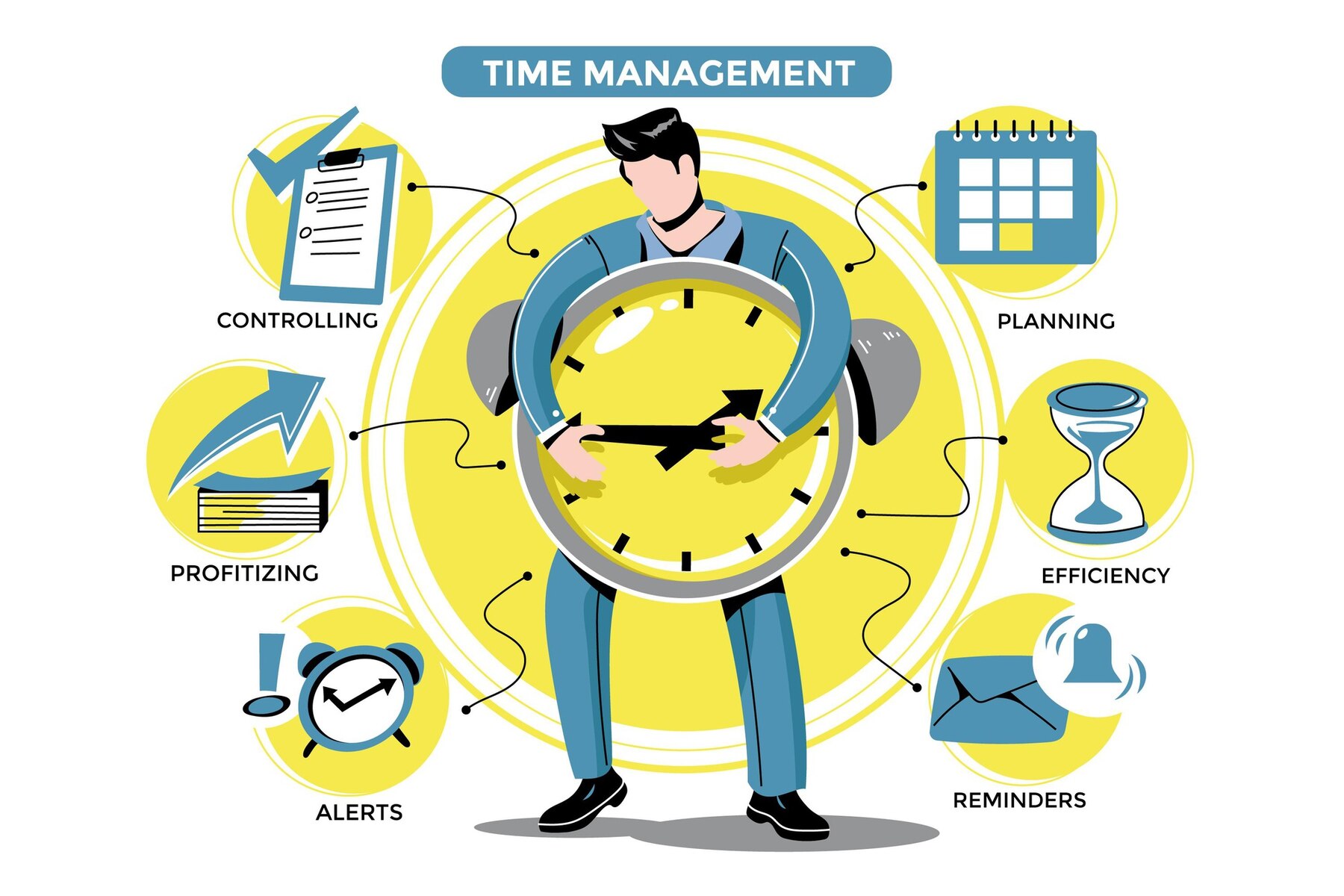
  • Mastering Time Management for Creative Professionals: A Comprehensive Guide

    Mastering Time Management for Creative Professionals: A Comprehensive Guide

    Creative professionals must manage multiple deadlines, changing client expectations, and unpredictable workflows while maintaining creativity. As these demands multiply, the pressure to manage everything can lead to a constant feeling of overwhelm, stifling productivity and creative freedom for professionals working independently or in small teams. 

    Without a system, the complexity of the task at hand often increases, leaving individuals feeling caught in a never-ending loop of tasks and responsibilities.

    The good news is that a solution exists, though it might not be what you think. It’s not about working harder or sacrificing more time—it’s about working smarter with the right tools and strategy.

    Could there be a way to master time management and make even the busiest project feel like a breeze? Let’s just say it’s easier than you might expect—and no, it doesn’t involve cloning yourself!

    Managing Multiple Projects Simultaneously

    Handling multiple projects simultaneously is an inherent part of being a creative professional. The nature of the industry often involves working with tight timelines across varying scopes, with each client or project requiring unique deliverables.

    Maintaining clear visibility over all moving parts is the key to managing multiple projects without becoming overwhelmed. Practical project management tools allow for tracking and organizing every aspect of each project in real time, which is essential for ensuring no tasks or deadlines slip through the cracks.

    By centralizing project details and tasks in one place, creatives gain a 360-degree view of what’s due, when, and by whom. This clarity removes ambiguity and minimizes confusion when switching between projects.

    Establishing clear project timelines, defining specific milestones, and delegating tasks efficiently ensures that creatives work smarter, not harder. When broken down into manageable steps, no project feels too chaotic or overwhelming, allowing the creative to focus on the most critical work at any given moment.

    Breaking Down Complex Tasks

    When left unaddressed, complex tasks lead to creative burnout and procrastination. A large project can feel like an insurmountable mountain if not broken down into smaller, actionable pieces.

    Project management tools provide an organized space where tasks are segmented into subtasks and deadlines are set accordingly. This ensures that no part of the project is overlooked and that progress is always moving forward.

    By organizing tasks into smaller, bite-sized chunks, creatives avoid feeling paralyzed by the size of the project. For example, instead of focusing on “Design Website,” breaking it down into subtasks like “Create Wireframe,” “Select Color Scheme,” and “Design Home Page Layout” makes it easier to track progress and stay focused on specific steps.

    These tools also allow scheduling individual tasks across timelines, offering a clear overview of how the entire project will unfold. This reduces stress and gives the creative professional a sense of control.

    Prioritization and Task Management

    When deadlines overlap, all projects seem urgent, and it’s easy to feel like every task requires immediate attention. Effective prioritization ensures that creatives focus on the right tasks at the right time.

    A robust project management system categorizes tasks based on urgency and importance, ensuring creative professionals allocate their time wisely. Priority levels and deadlines are assigned to each task, making it clear what needs immediate attention and what can wait.

    Time-tracking features built into project management systems help creatives understand where their time is going and how long each task should take. This ensures that tasks do not bleed into each other, affecting deadlines for other projects. For example, a tool that shows the time spent on design revisions versus initial drafts allows creatives to adjust their schedules accordingly. 

    This helps prevent last-minute scrambling and offers a more strategic approach to managing time. Project management systems also offer reminders, ensuring no task is left behind and deadlines are consistently met.

    Collaboration and Communication

    Collaboration is integral to creative work, significantly when multiple individuals contribute to various aspects of a project. A sound project management system facilitates communication between team members, providing a centralized platform for discussions, feedback, and approvals.

    This ensures that all stakeholders—internal collaborators or external clients—are on the same page, reducing the chance of miscommunication.

    Project management tools streamline communication, eliminating the need for constant back-and-forth emails and scattered messages. Creatives can leave comments directly on tasks, link files, and share updates without interrupting their flow.

    The workflow becomes more efficient when everyone is aligned on expectations, deadlines, and responsibilities. This communication transparency also helps resolve issues quickly, enabling creatives to maintain momentum and stay focused on their work instead of managing misunderstandings.

    Maintaining Flexibility and Structure

    Creative professionals thrive in environments that allow for freedom and exploration. However, deadlines and client expectations still require structure to ensure the project moves forward. The balance between flexibility and structure is vital.

    Project management tools provide frameworks that help creatives remain focused while leaving room for creativity. By defining workflows, setting milestones, and tracking progress, these tools offer enough structure to keep things on track without stifling creative exploration.

    With the right tool, creatives can move around tasks, adjust schedules, and reassign resources based on their evolving needs. This flexibility is crucial, as creative work often requires the freedom to adapt to new ideas or design iterations.

    Yet, even with this freedom, a project management system offers structure by ensuring that the project moves forward according to the established timeline, no matter how many changes occur.

    Handling Scope Creep and Changing Requirements

    Scope creep—the gradual expansion of project requirements—can derail even the most well-planned projects. With project management tools, creatives gain control over changing requirements.

    The system tracks all project changes, updates tasks, and ensures that new expectations are communicated clearly to all stakeholders. By doing so, these tools mitigate the risk of misunderstandings and unapproved changes that could disrupt the creative flow.

    A change management feature allows for real-time adjustments and ensures that no task or deliverable is added to the project without proper approval. This feature safeguards creatives from overburdening themselves and maintains the integrity of the original vision.

    In cases of significant changes, project management tools help assess the impact on timelines, budgets, and resources, ensuring that everything remains aligned and feasible.

    Avoiding Burnout and Managing Workloads

    Burnout is a common concern among creatives, especially when managing multiple projects with high demands. Practical time management tools track workload distribution, helping identify when a creative takes on too much.

    With visibility into tasks, deadlines, and time spent on each project, creatives can better manage their energy and ensure they do not overcommit or overwork themselves.

    Project management tools also allow for scheduling breaks, realistically managing deadlines, and delegating tasks to prevent overload. For example, if a deadline feels tight, a creative can adjust their schedule, reschedule non-essential tasks, or bring in external resources to help. This enables a healthy work-life balance while ensuring the timely completion of all projects.

    Streamlining Invoicing and Administrative Tasks

    For many creative professionals, administrative tasks such as invoicing and time tracking are necessary but often burdensome. A project management tool with built-in invoicing and billing features simplifies this process.

    By integrating time tracking with project tasks, creatives no longer need to calculate hours or payments manually. Instead, the tool generates invoices based on actual time spent on tasks and pre-agreed rates, reducing the chances of errors and administrative overhead.

    This seamless integration ensures that creatives are compensated accurately and promptly without spending unnecessary time on administrative work. By automating these tasks, project management tools free up more time for the creative work that truly matters.

    This also promotes transparency with clients, who can receive detailed reports on the time spent on various tasks, making the billing process clearer and more efficient.

    Managing Budgets and Resources

    Managing a project’s budget can be tricky for creative professionals, especially when working with tight margins or fluctuating client demands. Project management tools that include budget tracking capabilities allow creatives to stay on top of expenses in real-time.

    By linking tasks to financials, these tools show the cost of each project phase, resource allocation, and any adjustments needed to stay within budget.

    Creative professionals must also manage their resources, from software tools to physical assets like design files. Project management systems help keep everything organized by storing resources in one accessible location.

    This allows creatives to focus on the work without wasting time searching for files or tracking down missing assets, making the creative process more efficient.

    Transitioning Between Project Stages

    In creative work, especially in fields like design or video editing, projects often move through multiple stages, from conceptualization to final execution. Managing these transitions without losing momentum is crucial for project success.

    Project management tools facilitate smooth transitions by tracking each stage and clearly defining deliverables for hand-offs between teams or clients.

    Project management systems help creatives maintain consistency across projects by providing templates, checklists, and predefined stages. This ensures that everything is in place for a seamless transition when one stage ends and another begins.

    For example, a designer can finalize a mockup and move it into the feedback stage without missing any necessary steps, making it easier to pick up where the last team left off. This ensures the creative process is never disrupted, even during complex transitions.

    Conclusion

    Time management is essential for creative professionals juggling multiple projects, meeting deadlines, and staying aligned with client expectations. By utilizing project management systems, creatives streamline workflows and prevent burnout.

    This allows them to focus on what truly matters—the creative work itself. The right tools help transform chaos into clarity, making project juggling more manageable. When time is controlled effectively, creativity thrives without constant interruptions or stress.

    Pinrom offers an incredibly affordable solution: just $1 per user. It empowers you to take charge of your projects and unlock your full creative potential.